Azimuth Compass1.0
Publisher Description
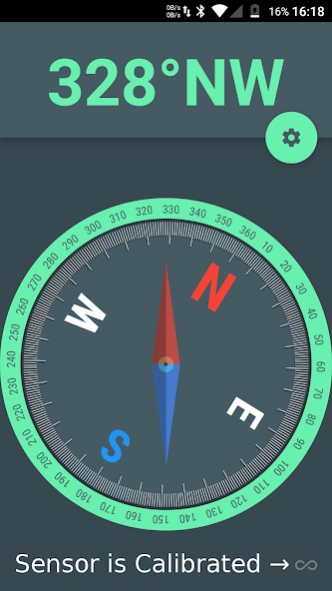
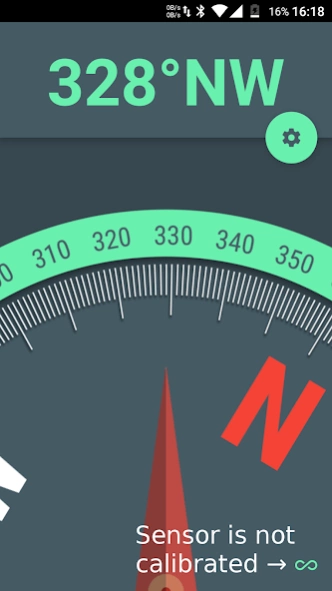
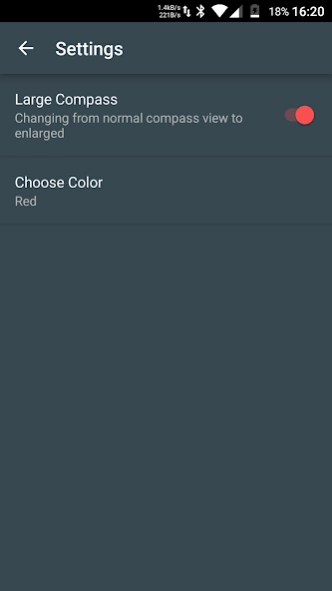
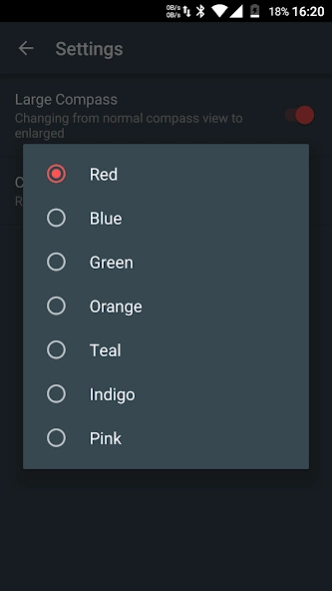
Precise. Realistic Movement. Material Design. Customizable. Two different views.
[Important] This application won't work unless your device has a magnetometer sensor.
Maybe you are in a orientation contest, or exploring the mountains and you have to walk in the direction of a precise azimuth angle, let's say 257 degrees, then this is the perfect compass. All you have to do is rotate until the angle is reached and there you are walking in the right direction winning the contest or not getting lost.
Features:
* Two different views: A large, up close, view and a normal full compass view
* Choose between 7 material colour accents
* It works no matter the orientation of your phone
* Precise
* Fast
* Realistic compass like movement
* Material design inspired
* No permissions required
***If sensor loses calibration, just wave the phone in the form of an eight for a few seconds until the calibration icon becomes disabled.
Take into consideration that If you find yourself near a magnet or in a area with a strong magnetic field the precision will be lost as with a real compass.
About Azimuth Compass
The company that develops Azimuth Compass is OverWrite. The latest version released by its developer is 1.0. This app was rated by 1 users of our site and has an average rating of 4.5.
To install Azimuth Compass on your Android device, just click the green Continue To App button above to start the installation process. The app is listed on our website since 2017-08-01 and was downloaded 120 times. We have already checked if the download link is safe, however for your own protection we recommend that you scan the downloaded app with your antivirus. Your antivirus may detect the Azimuth Compass as malware as malware if the download link to ro.overwrite.azimuthcompass is broken.
How to install Azimuth Compass on your Android device:
- Click on the Continue To App button on our website. This will redirect you to Google Play.
- Once the Azimuth Compass is shown in the Google Play listing of your Android device, you can start its download and installation. Tap on the Install button located below the search bar and to the right of the app icon.
- A pop-up window with the permissions required by Azimuth Compass will be shown. Click on Accept to continue the process.
- Azimuth Compass will be downloaded onto your device, displaying a progress. Once the download completes, the installation will start and you'll get a notification after the installation is finished.
Program Details
System requirements
Download information
Pricing
Version History
version 1.0
posted on 2017-08-01
Added sensors missing verification.
Affects only users that have a device without accelerometer or magnetometer sensors.
